Search indexes
Search indexes are a critical component of your search subsystem. Their purpose is to optimize the speed and performance of finding relevant documents for a search query. Without an index, the search engine would have to scan every document in your store, which would consume significant time and computational resources.
Managing indexes
Our search system can combine all the indexes configured in your setup to enhance search performance and deliver the most relevant results to your customers. These indexes are consolidated into a single grid, located under System -> Search Management -> Search indexes, where you can configure them.
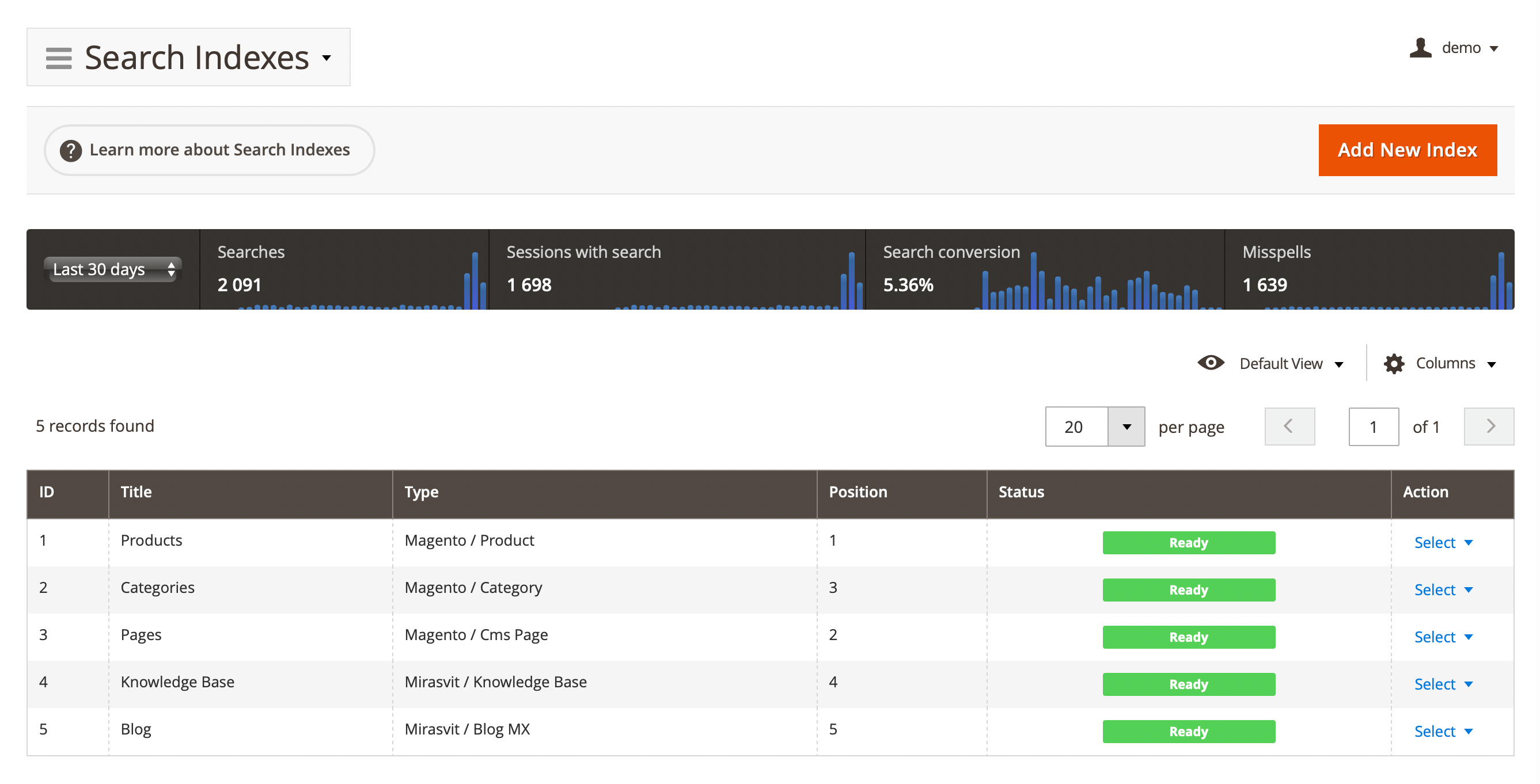
Each index, added to this grid, displays the following properties:
-
Title: the title of the search index
-
Type: indicates the type of the index
-
Position: the index's position in the search results.
-
Status: shows whether the index is ready for searching.
-
Action: the column provides common actions that can be performed directly from the grid, such as:
- Edit: modify the index settings (default action).
- Reindex: perform manual reindexing for the selected index.
- Delete: remove the index from the Mirasvit Search extension.
Search usage statistics
At the top of the page, a block with overall search statistics is displayed, which includes:
- Time Period: the time range shown on the graphs
- Today
- Last 7 days
- Last 30 days
- Last 365 days
- Searches: the total number of search queries made on the site within the selected period
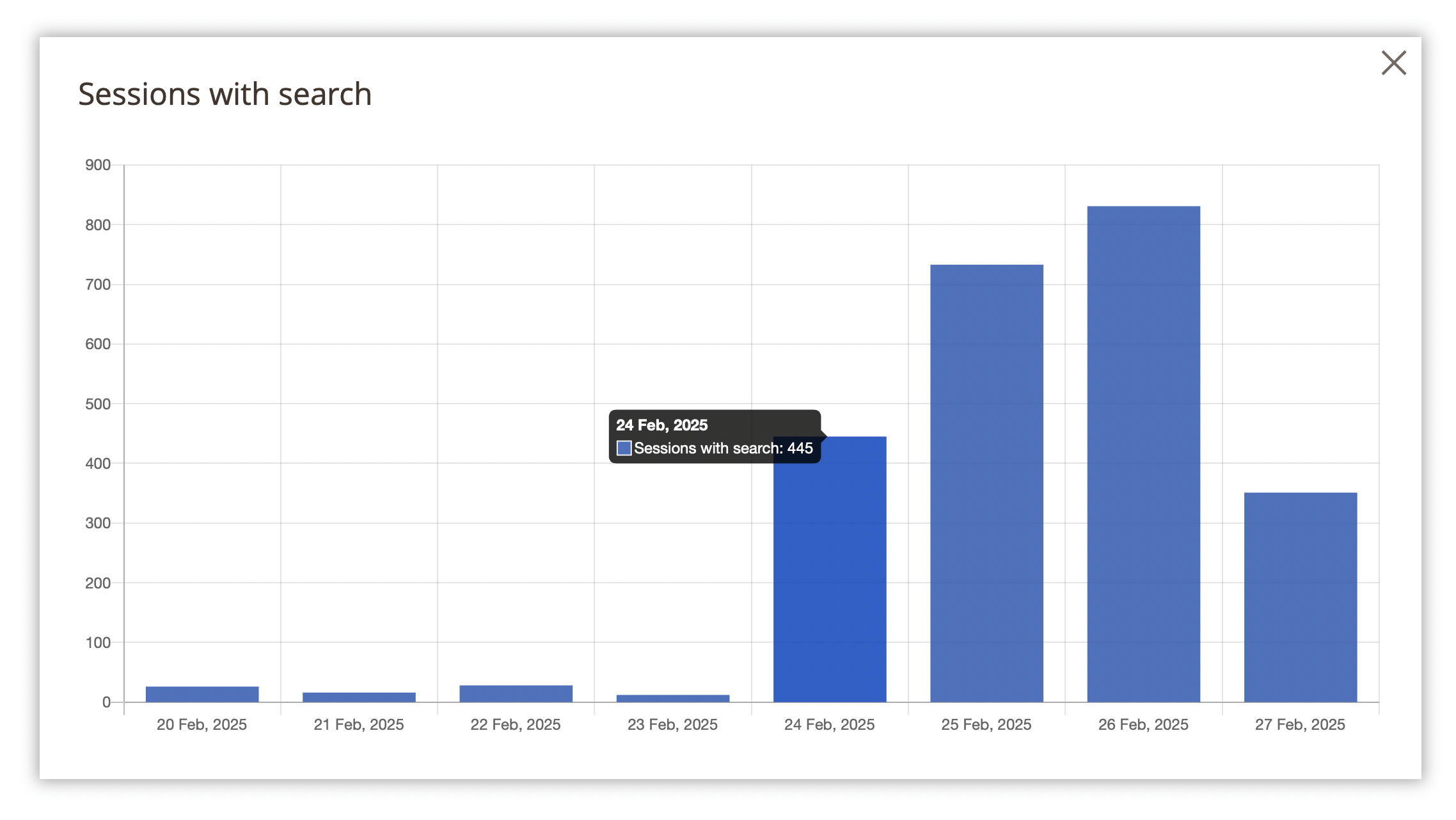
- Sessions with searches: the number of sessions during which a search was performed
- Search conversions: the conversion rate percentage
- Misspellings: the number of corrected typos in search queries
To view more detailed statistics, click on the graph.
Search index management
Click on the index line or select Action -> Edit to view more details about the selected item. A few setting groups will be available:
General information
-
Title: the title of the search index, which will be displayed as the tab header on the search results page
-
Type: indicates the type of the index (i.e., the searchable content type). Some values in this field will trigger specific options.
Supported index types
- Magento Indexes:
- Product
- Category
- CMS Page
- Attribute
- Search terms
- Mirasvit extensions:
- Blog MX
- Knowledge Base
- Brand pages
- External:
- Wordpress Blog
- Amasty:
- Blog
- FAQ
- Magefun:
- Blog
- Mageplaza:
- Blog
- Aheadworks:
- Blog
- Ves extensions:
- Blog
- Ves Brand
- Blackbird:
- Content Manager
- Magento Indexes:
-
Active: sets whether the index should be activated
-
Position: the position of the index in the search results. Search results will be organized in tabs according to this property
Searchable attributes
The table is used to assign search weights to selected attributes to control relevance in search results and consists of:
-
Attribute: the name of the attribute, selected from the properties of the chosen index type.
noteFor example, if the Product type is selected, the attributes could include:
Product name,SKU,Price,Tax Class, and so on. -
Weight: the sort order that defines the importance of each attribute for product relevance. The maximum weight is 10 (highest priority), and the minimum weight is 0 (lowest priority).
noteEach index type comes with a predefined set of searchable options that will be displayed after completing the first stage. There must be at least one searchable attribute; otherwise, the search will not function properly.
Additional
Additional search index settings
- Sort by: determines the sort order of search results. The default value is
Relevance.
Properties
The type-dependent specific options section.
- Product
- Search by parent categories name: includes all parent categories in the search (useful when a store has a large category tree)
- Search by child products: includes associated products from Bundled, Grouped, and Configurable products in the search
- Search by Product ID: enables search by product ID (entity_id attribute, which is not listed as searchable by default in Magento)
- Search by custom options: enables search by custom options (defined in addition to existing product options)
- Exclude out of stock products: excludes out of stock products from the search results (useful when out of stock products are visible in the catalog but should not appear in search results)
- Category
- Ignored categories: excludes selected categories from search results
- Include empty categories: includes categories without products in the search results
- Pages
- Ignored CMS pages: excludes selected CMS pages from search results