
Order grid
Get additional columns in the order grid. See all necessary information on a single screen. Filter and search orders using additional columns.
In the admin panel of your store, visit Sales > Orders.
To add more columns, press Columns. When a particular column is added, you will get the option to filter through it in Filter.
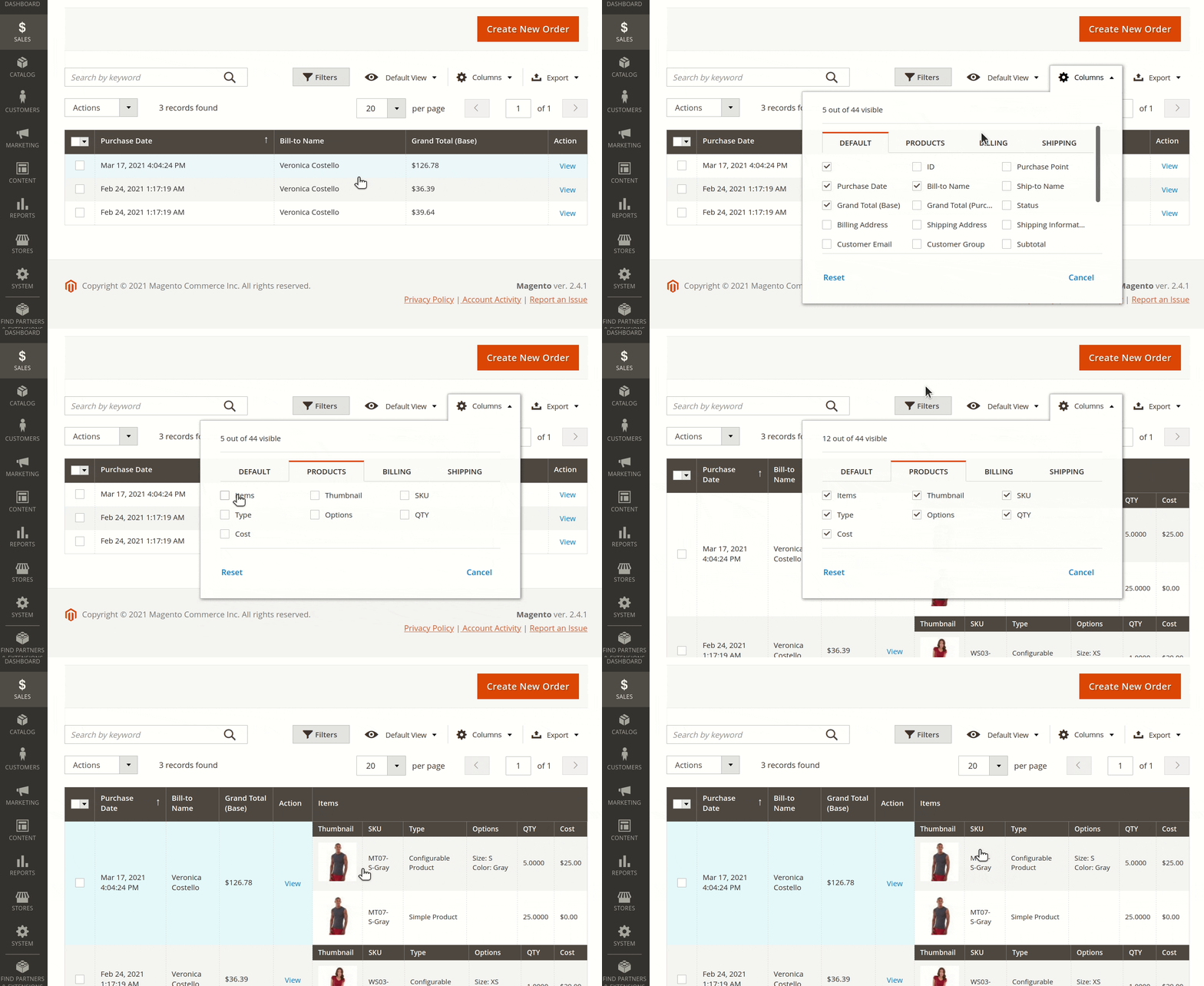
Add information on items
In Columns, select Products. You can add on your screen relevant information for items including:
- Item thumbnail
- Item SKU
- Item type
- Item available options
- Ordered item quantity
- Ordered item cost
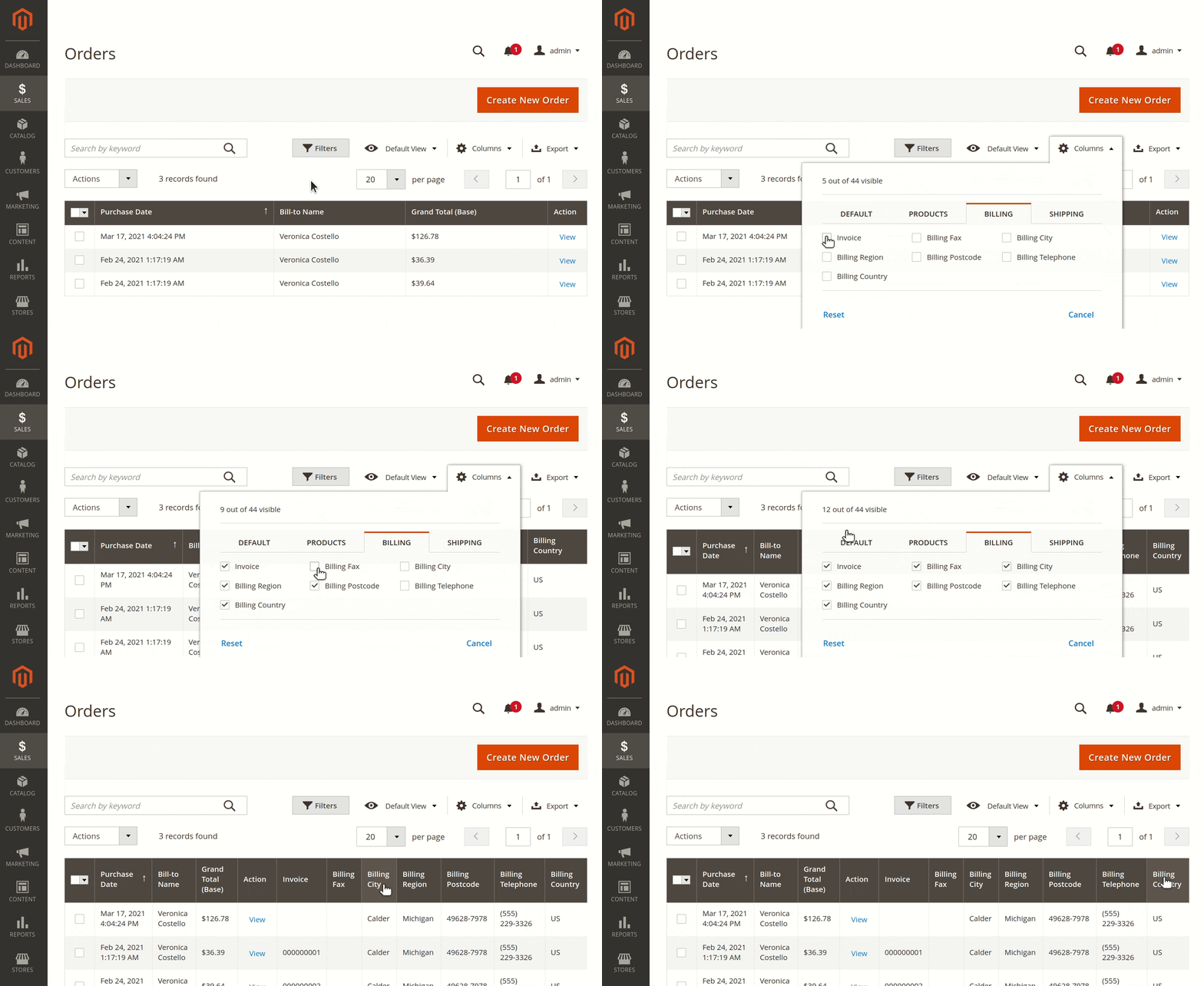
Show billing information
In Columns, select Billing. Our module allows you to display:
- Invoice
- Billing Fax
- Billing City
- Billing Region
- Billing Postcode
- Billing Telephone
- Billing Country
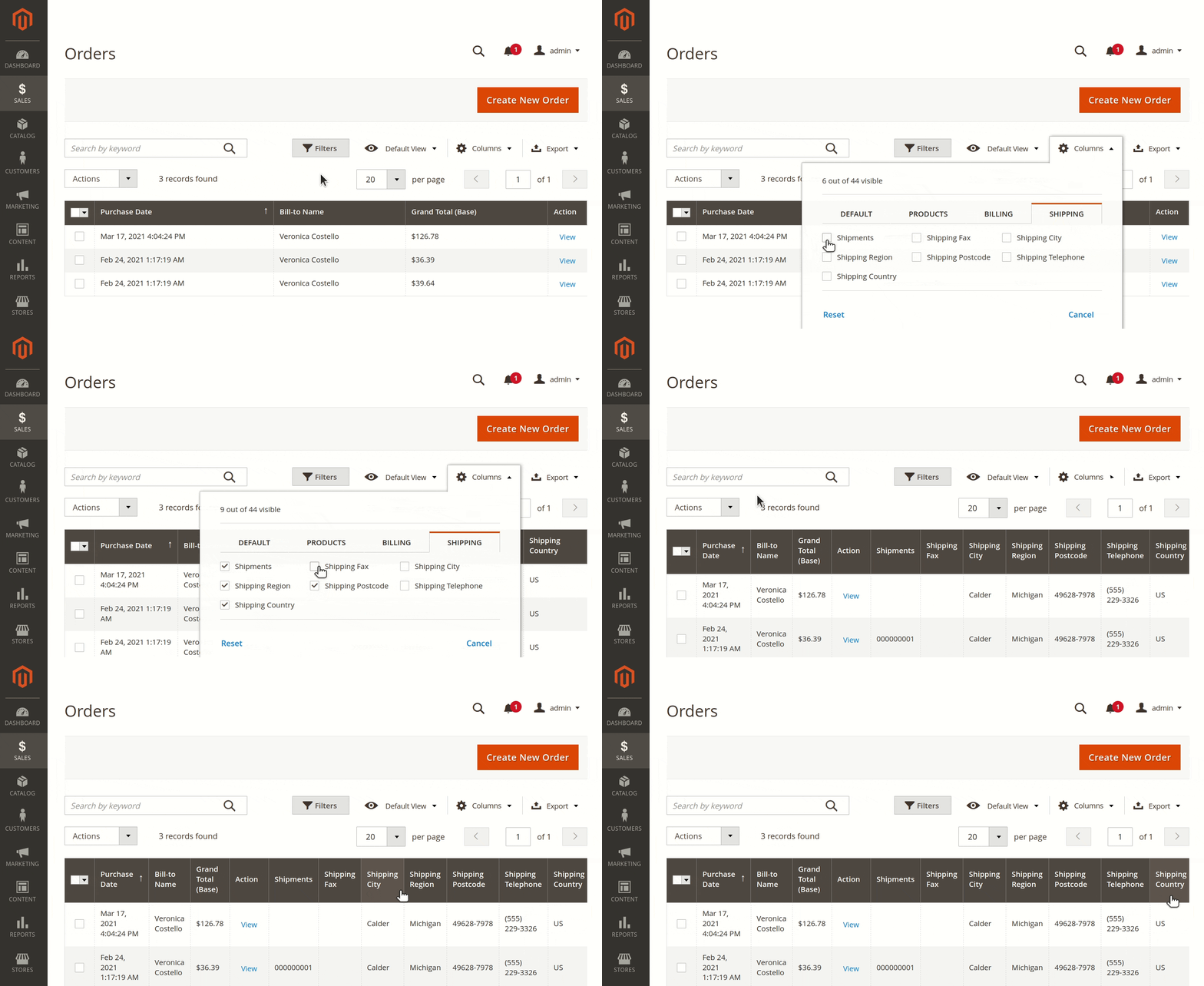
Get shipping information
In Columns, select Shipping. In addition, you will get:
- Shipments
- Shipping Fax
- Shipping City
- Shipping Region
- Shipping Postcode
- Shipping Telephone
- Shipping Country
Quick view
Use the Quick View option to access order details faster. Click an order number to open a side-sliding window with full order information. From there, open the Magento edit order form or close it to switch orders.