Configuration settings
To configure the Product Kits extension, navigate to Stores -> Settings -> Configuration -> Mirasvit Extensions -> Product Kits.
Display settings
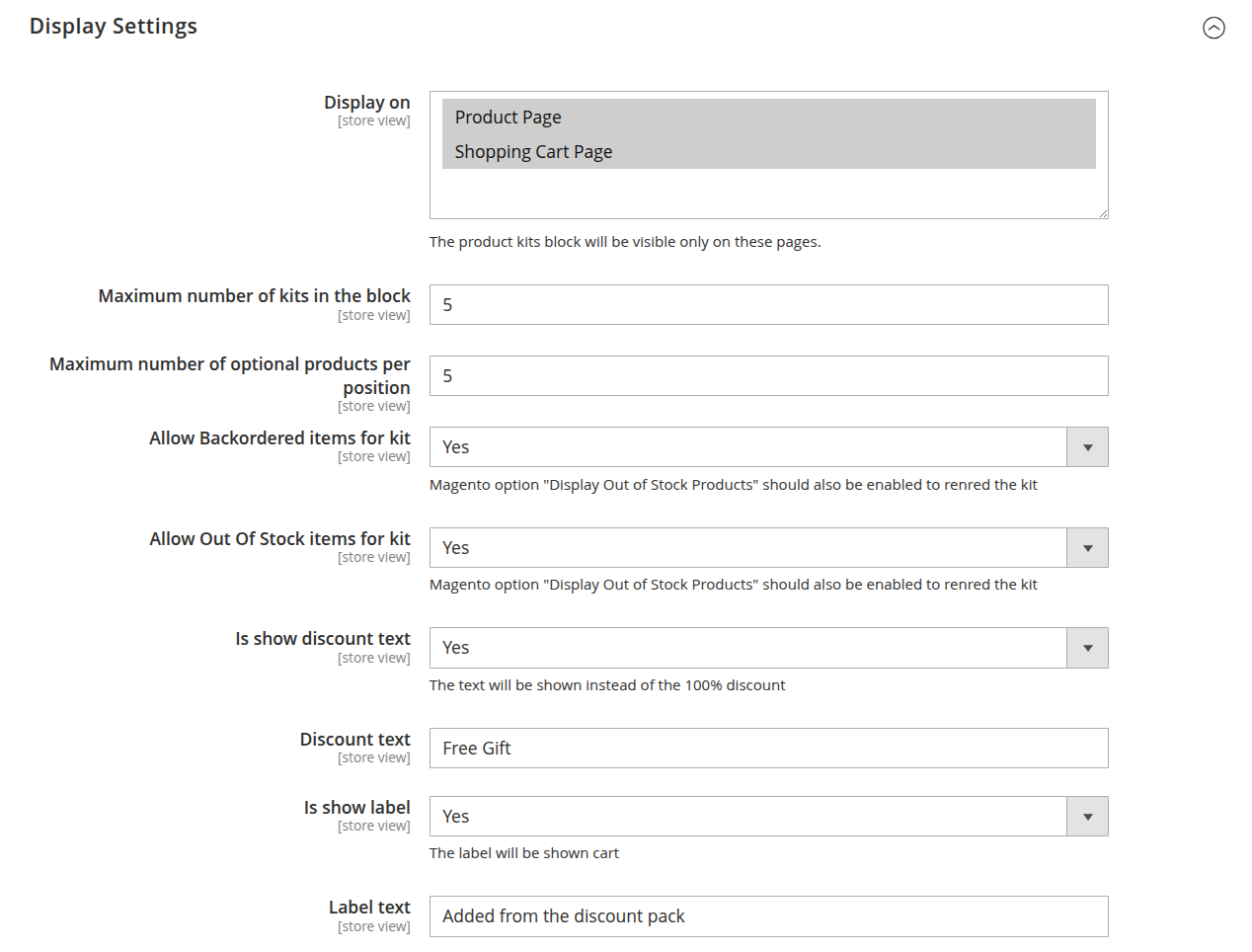
The Display Settings section controls how and where product kits appear on the storefront, allowing you to optimize visibility and presentation for maximum customer engagement.
-
Display on: defines the store pages where the product kit block will be shown. Placing kits at the right touch-points can increase the likelihood of bundle purchases.
-
Maximum number of kits in the block: sets the limit for how many kits are displayed at once, ensuring a clean and focused layout without overwhelming the customer.
-
Maximum number of optional products per position: specifies how many alternative products can be offered in each kit position, giving customers flexibility while keeping the selection manageable.
-
Allow Backordered items for kit: enables inclusion of backordered products in kits.
NoteTo render kits with backordered items, Magento’s Display Out of Stock Products option must also be enabled.
-
Allow Out Of Stock items for kit: allows out-of-stock items to be displayed in kits, useful for pre-orders or highlighting temporarily unavailable products.
NoteThis also requires Magento’s Display Out of Stock Products setting to be enabled.
-
Is show discount text: toggles whether to display a custom text instead of showing “100% discount” for free items in the kit.
-
Discount text: specifies the custom message (e.g.,
Free Gift) shown for items with a full discount. -
Is show label: enables displaying a custom label for kit products in the cart, helping customers identify which items came from a bundle.
-
Label text: defines the label text shown in the cart (e.g.,
Added from the discount pack).
Layout settings
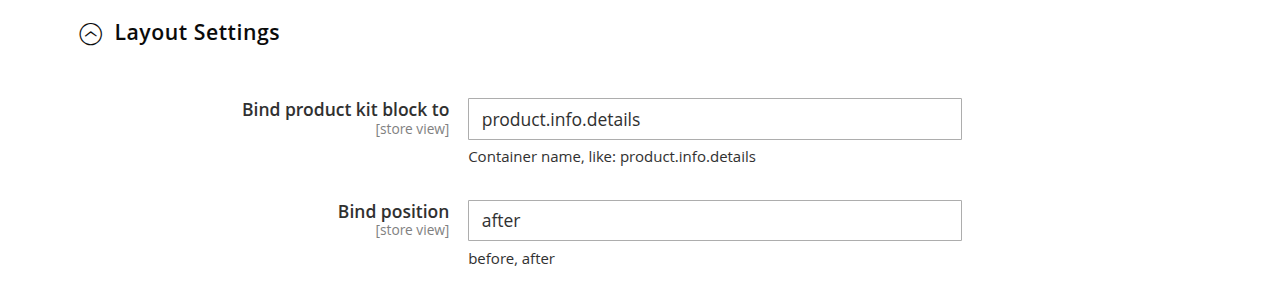
The Layout Settings section determines where the product kit block is injected into the page layout, giving you full control over its placement.
-
Bind product kit block to: specifies the Magento container name where the kit block should be placed (e.g.,
product.info.details). This determines the anchor point for rendering the kit. -
Bind position: sets whether the kit block is displayed before or after the selected container, allowing fine-tuned control over the block’s exact position on the page.